

Hey there! As a supplier of 9U racks, I've had my fair share of experiences with setting up all sorts of equipment in these racks. One common question I get a lot is how to install a UPS (Uninterruptible Power Supply) in a 9U rack. Well, you're in luck because I'm gonna walk you through the whole process step by step.
First things first, let's talk about why you'd even want to install a UPS in your 9U rack. A UPS is like a safety net for your valuable equipment. It provides backup power in case of a sudden power outage, giving you enough time to shut down your servers and other devices properly. This can prevent data loss, hardware damage, and all sorts of headaches.

Step 1: Choose the Right UPS
The first step in installing a UPS in your 9U rack is to choose the right one. You need to consider a few factors here. First, think about the power requirements of the equipment in your rack. You don't want to get a UPS that's too small and can't handle the load, or one that's too big and a waste of money. Look at the power ratings of all your devices, including servers, switches, and any other gear, and add them up. This will give you an idea of the minimum power capacity you need for your UPS.
Another thing to consider is the form factor of the UPS. Make sure it's compatible with your 9U rack. Some UPS units are designed specifically for rack - mount installation, while others may require additional mounting brackets or modifications. You can check out some of our rack - compatible UPS options on our website.
Step 2: Prepare Your 9U Rack
Before you start installing the UPS, you need to prepare your 9U rack. First, clear out any unnecessary equipment or debris from the rack. Make sure there's enough space for the UPS. Measure the available space in the rack and compare it with the dimensions of the UPS you've chosen. You want to ensure that there's enough room for proper ventilation around the UPS.
If your rack has any existing cables, organize them neatly. This will not only make the installation process easier but also improve the overall airflow in the rack. You can use cable ties or cable management systems to keep the cables in place.
Step 3: Mount the UPS in the Rack
Once you've prepared the rack, it's time to mount the UPS. Most rack - mountable UPS units come with mounting brackets. Start by attaching the mounting brackets to the sides of the UPS according to the manufacturer's instructions.
Next, slide the UPS into the rack. Align the holes in the mounting brackets with the holes in the rack rails. Use the appropriate screws to secure the UPS to the rack rails. Make sure the UPS is firmly attached and doesn't wobble.
Step 4: Connect the UPS
After mounting the UPS, it's time to connect it. First, plug the UPS into a reliable power source. Make sure the power source is properly grounded to avoid any electrical hazards.
Then, start connecting your equipment to the UPS. Plug in your servers, switches, and other devices into the outlets on the UPS. Be careful not to overload the UPS. If you're not sure about the load capacity, refer to the UPS's user manual.
Step 5: Configure the UPS
Once everything is connected, you need to configure the UPS. Most modern UPS units come with software that allows you to monitor and manage the UPS. Install the software on a nearby computer and follow the setup instructions.
You can use the software to set up alerts for low battery, power outages, and other important events. You can also configure the UPS to perform automatic shutdowns of your equipment in case of a long - term power outage.
Our 9U Rack Offerings
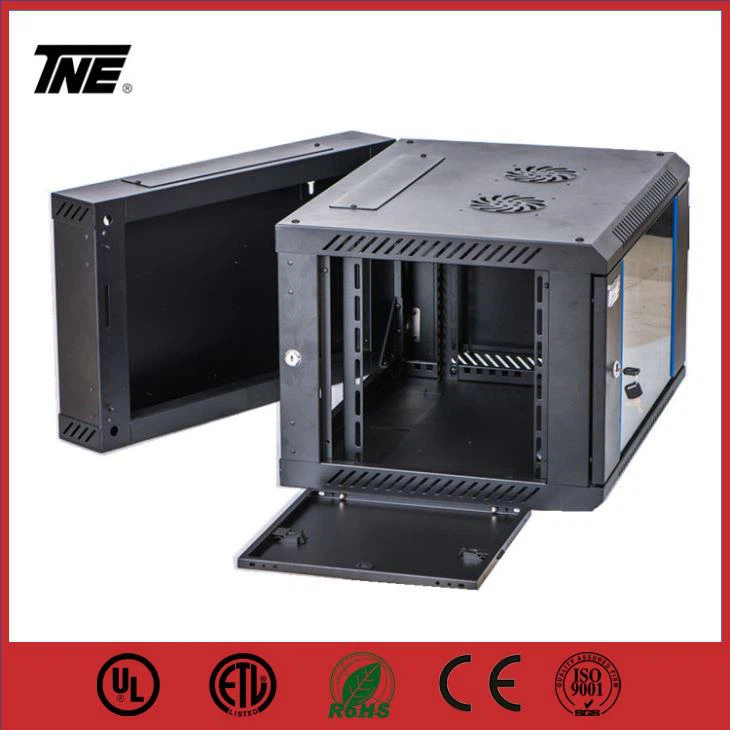
As a 9U rack supplier, we have a great selection of racks that are perfect for installing a UPS. For example, our Double Section Wall Mount Cabinet Assembled 9U Server Rack is a great option. It's assembled and ready to use, and it provides plenty of space for your UPS and other equipment.
If you're looking for something more economical, our Economy Wall Mount Cabinet Hanging Cabinet Server Enclosure with Glass Door 12U Rack with Swing Out Door is a great choice. It offers a good balance between price and functionality.
And if you need a single - section wall - mounted cabinet, our Single Section Wall Mounted Cabinet Telecom Cabinet Home Network Cabinet Office Server Rack is the way to go. It's perfect for smaller setups and home networks.
Contact Us for Procurement
If you're interested in purchasing a 9U rack or need more information about installing a UPS in a rack, don't hesitate to reach out. We're here to help you make the right choice for your needs. Whether you're a small business owner or a large enterprise, we have the expertise and products to meet your requirements. Contact us today to start the procurement process and get your rack and UPS up and running in no time.
References
- UPS Installation Guides from Major Manufacturers
- Rack Design and Installation Best Practices Documents